Skip to content
Pellenor

Everything a service company runs on

Scheduling, a technician app, estimates, invoices, payments, service plans, inventory, and reports, in one system for the office and the field.

  • From $59.97 a month
  • 14 days free
  • No card to start
  • Web, Android, and iOS
Scheduling and dispatch

See the whole day, and book the next job in seconds

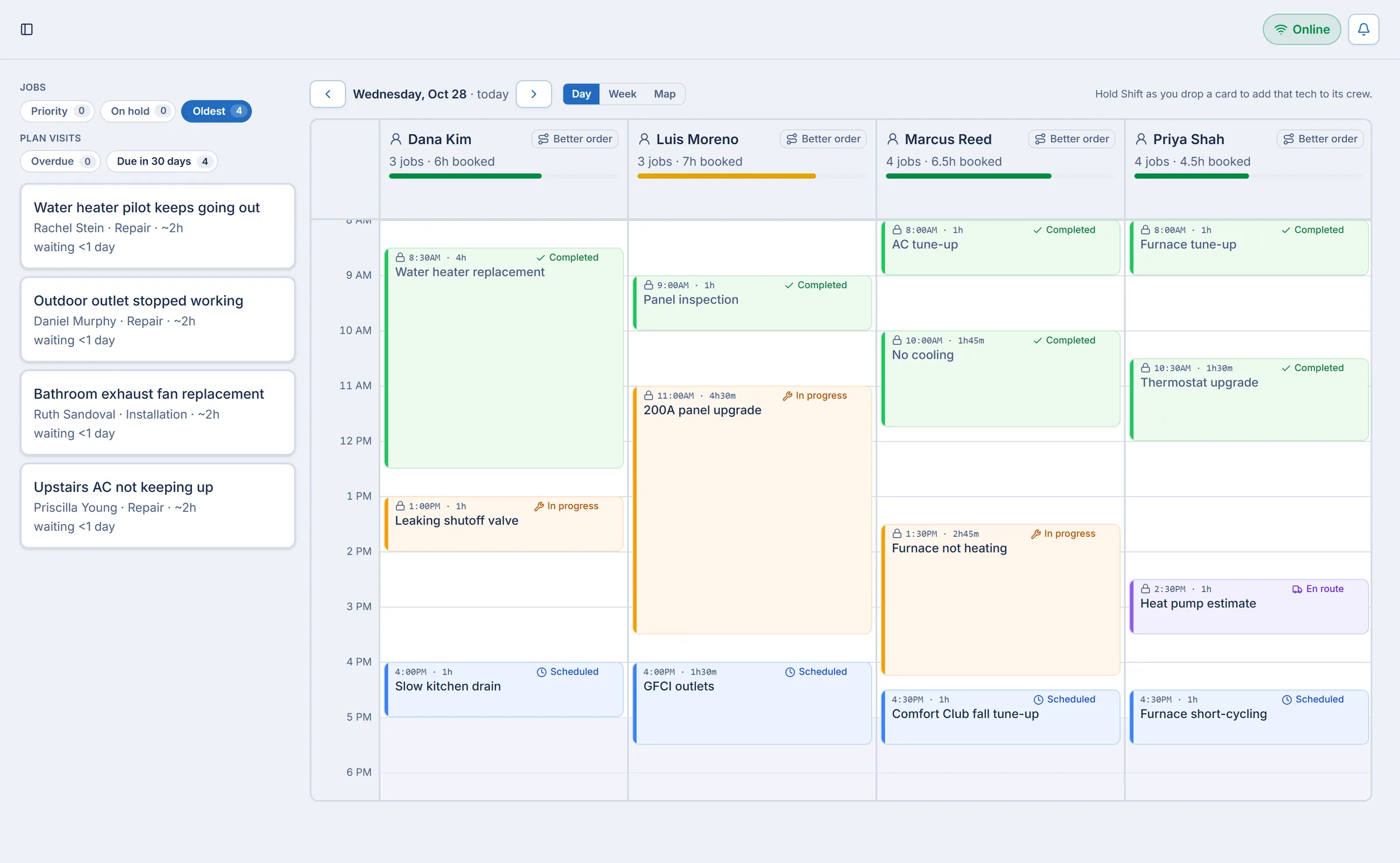
The board shows a lane for every tech, with week and map views beside it. Work waiting to be booked sits in a queue, so nothing is forgotten between the phone call and the visit.

  • Drag a job onto a tech and a time to book it
  • A queue sorted by priority, by age, and by service plan visits coming due
  • Suggestions for who should go, from skills, open time, and distance
  • A double booking warns you, and leaves the decision to the office
Pellenor’s schedule board: a day of visits for four technicians, finished, under way, and booked, beside the work waiting to be booked.
Technician app

An app your techs can count on

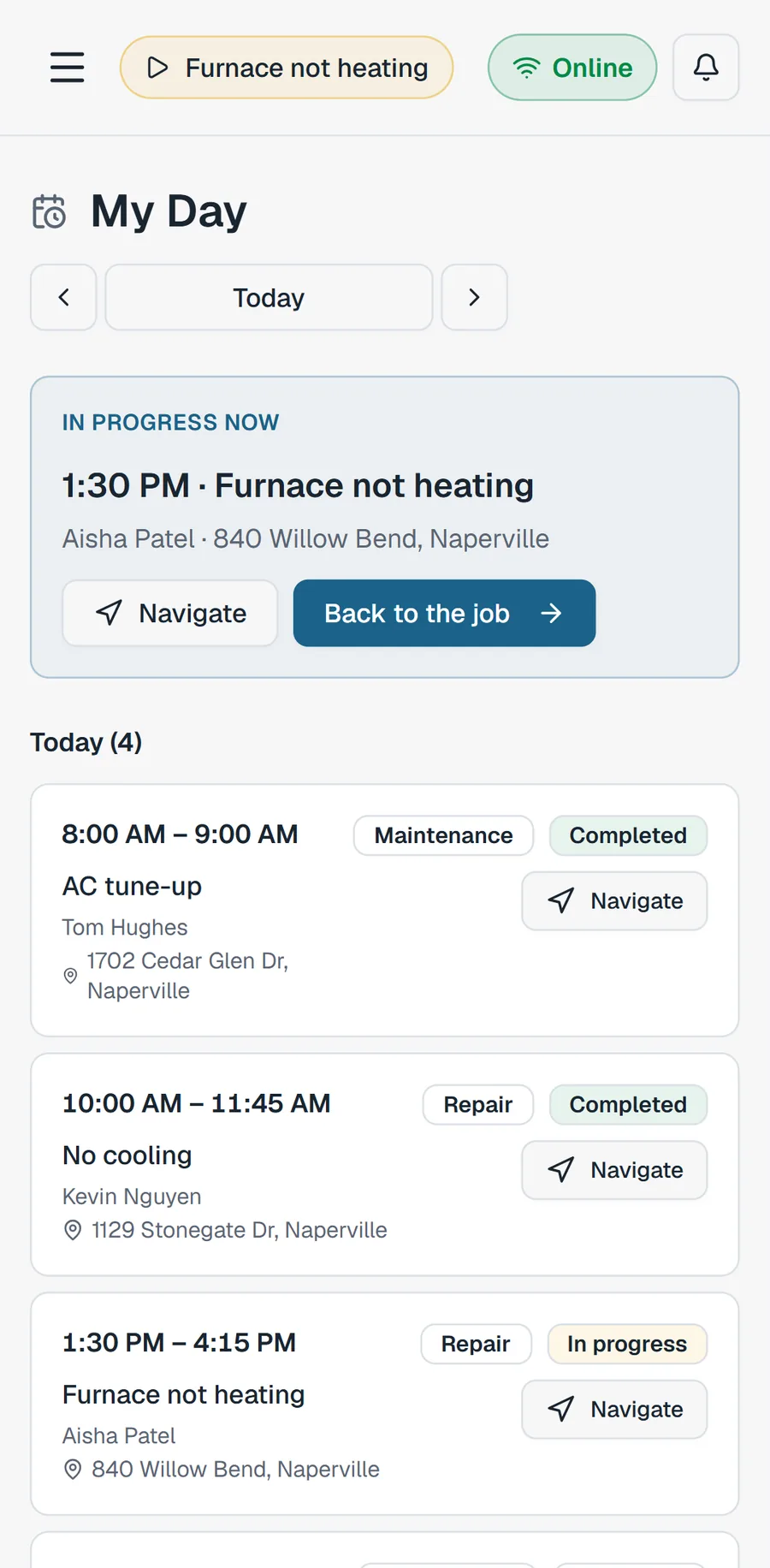
My Day shows the job in hand and the rest of the day, and a dead zone never costs a note, a photo, or a signature.

The app is for Android and iOS.

  • Start, pause, and complete jobs; the taps become the timesheet
  • Photos, notes, checklists, equipment, and customer signatures
  • Parts logged from the truck’s own stock, with barcode scanning
  • Quotes written at the kitchen table become jobs on the spot
  • Fingerprint or Face ID sign-in, and a lost signal never signs a tech out
A technician’s My Day in the phone app: the job in progress, then the day’s visits with their times and addresses.
Works offline

No signal? Your techs keep working

Your techs don’t stop when the signal does. On Android and iOS, Pellenor keeps them working anywhere the job takes them, and nothing they do is lost.

  • No hunting for a signal

    Basements, crawl spaces, and back roads are just another job site. No stepping outside or driving up the road to finish the work.

  • Nothing lost, nothing typed twice

    Every note, photo, part, and signature reaches the office, so nobody enters it again later.

  • Jobs closed out on site

    Techs finish the job where they are, and the office sees it the moment they’re back in range.

Works with no signal

  • Today’s jobs, with addresses and equipment
  • Starting, pausing, and completing jobs
  • Notes, photos, and signatures
  • Checklists and readings
  • Parts from the truck’s stock
  • Custom items added on site
Estimates

Good, better, and best, approved from a link

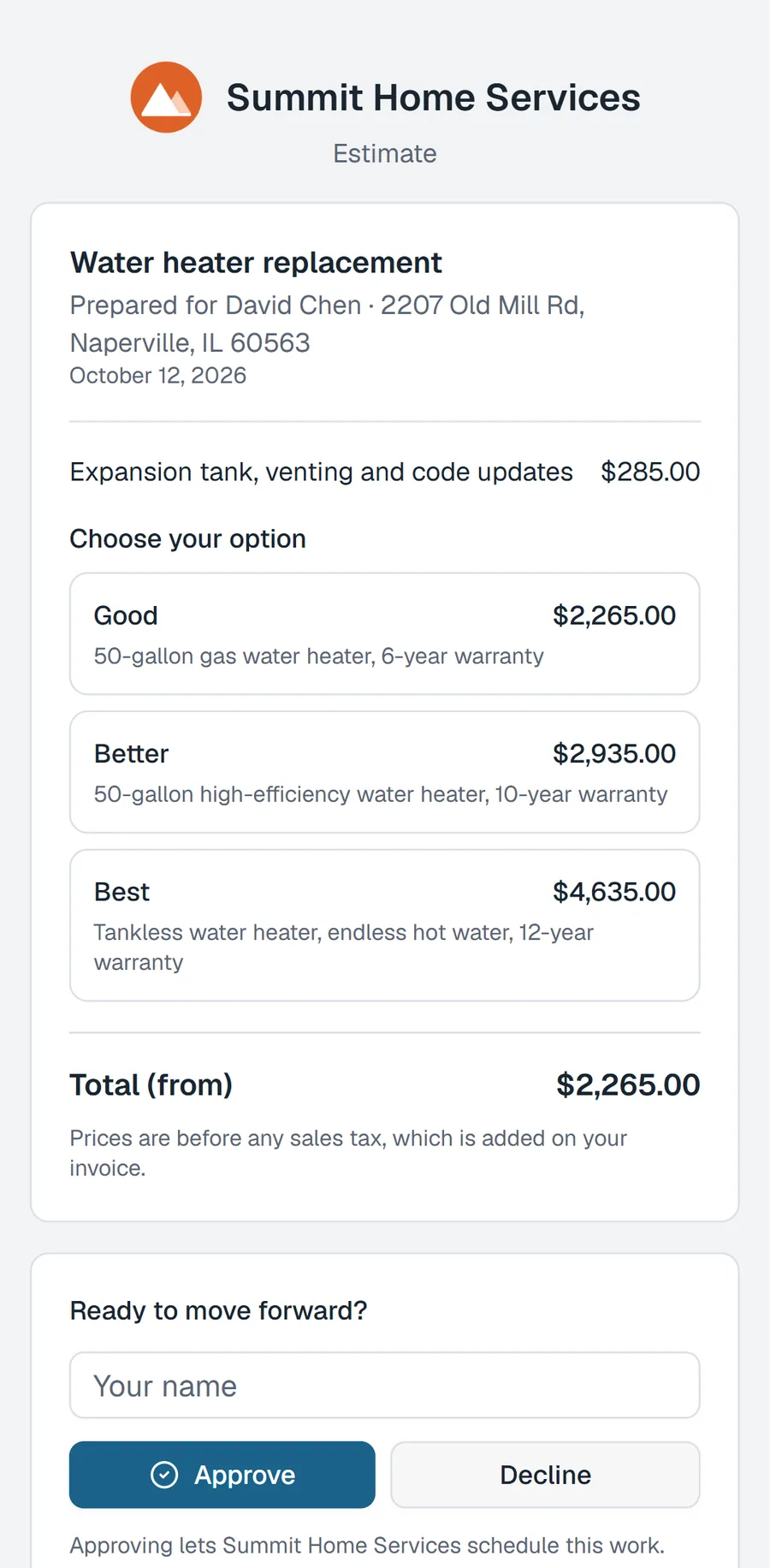
Build options from your pricebook’s flat-rate services, parts, and labor. The customer compares them from their email and approves one, and it becomes a job in one step.

  • Approvals recorded by your team when the customer says yes in person
  • One estimate for several addresses, answered once
  • Sales tax added on the invoice for each address
  • Close rates by option and by seller in the estimate pipeline
An estimate on the customer’s phone, with the company’s logo: good, better, and best options, and Approve or Decline.
Invoices and payments

Bill the work that was done, and get paid for it

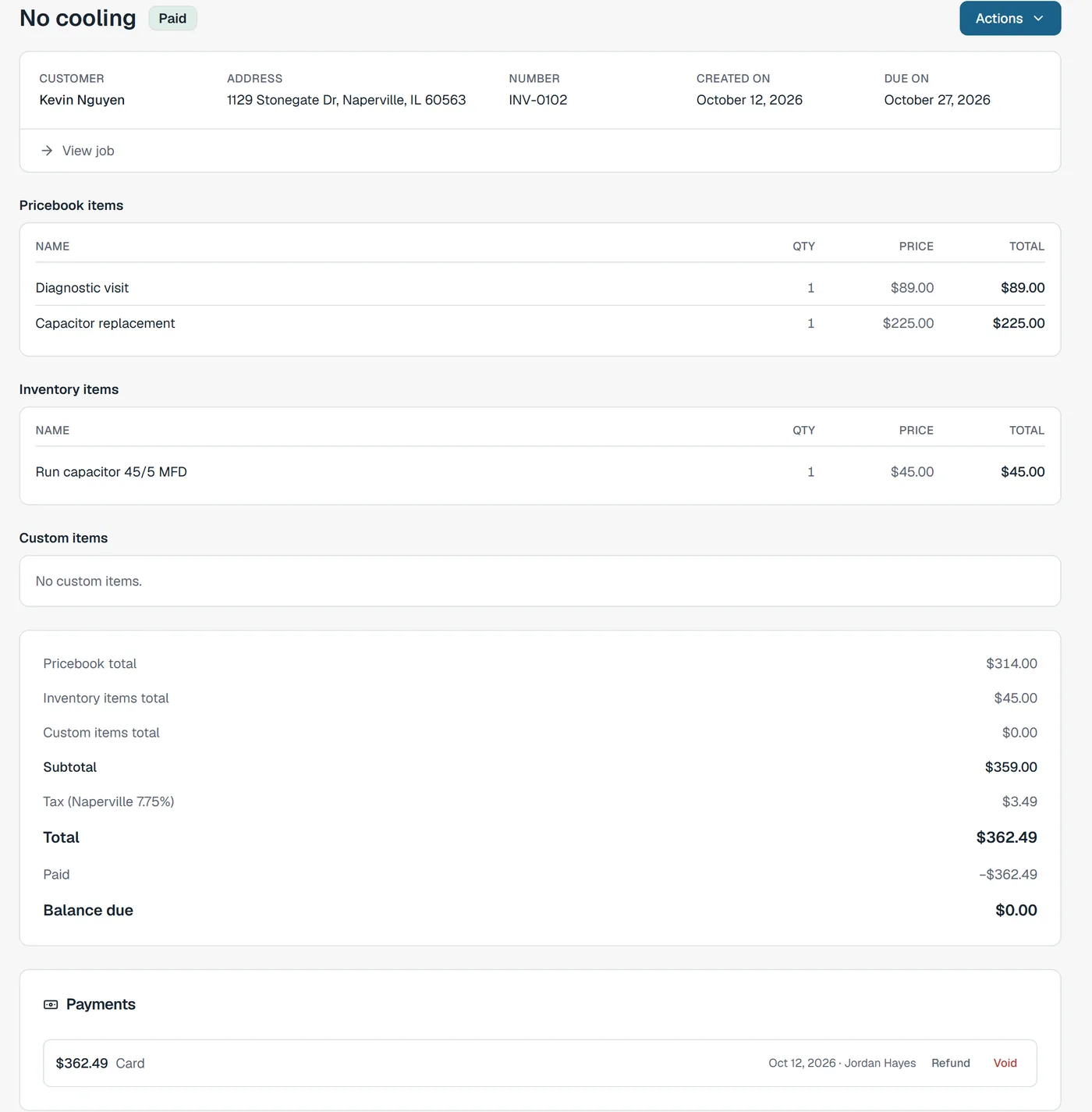
A finished job can draft its own invoice from what the tech logged. Customers pay by card, bank transfer, or financing from their invoice, or on the spot.

  • A list of finished work that’s ready to invoice
  • Sales tax by address, tax-exempt customers, and a choice of what’s taxed
  • Bank payments shown while they clear, with a link to pay again if one fails
  • Refunds that lower the bill or give a payment back
How payments work
A paid invoice in Pellenor: the services and parts, sales tax on the parts, and the card payment that paid it.
Service plans

Plans that book their own visits

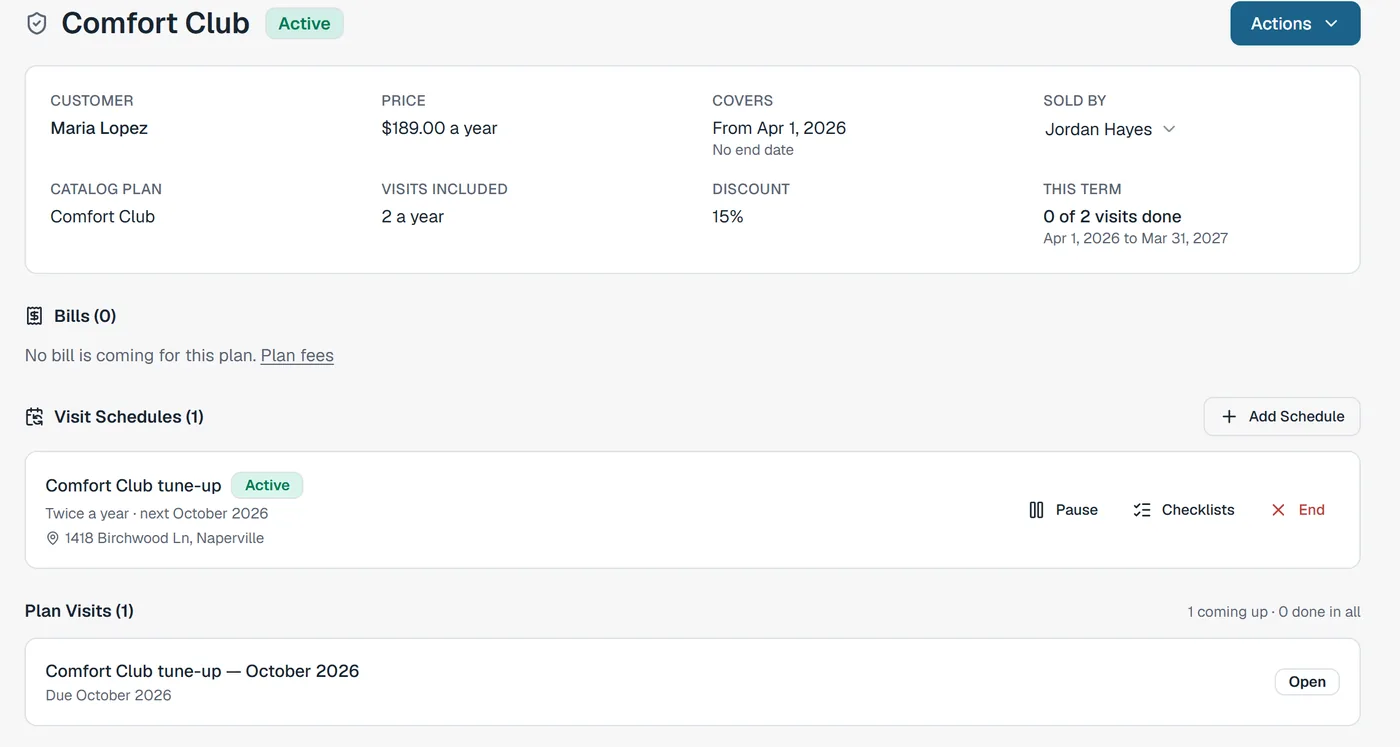
Set up the plans you sell, with their visits a year and the member discount. Each customer’s plan schedules its visits monthly, quarterly, twice a year, or yearly, and they arrive in the queue when they’re coming due.

  • The member discount applied line by line on their invoices
  • Plans that can be paused, renewed, or cancelled
  • Recurring revenue, renewals due, and lapsed plans in one report
A customer’s Comfort Club plan: price, visits a year, the member discount, and the tune-up visits it schedules.
Customers

Every customer, address, and unit in one place

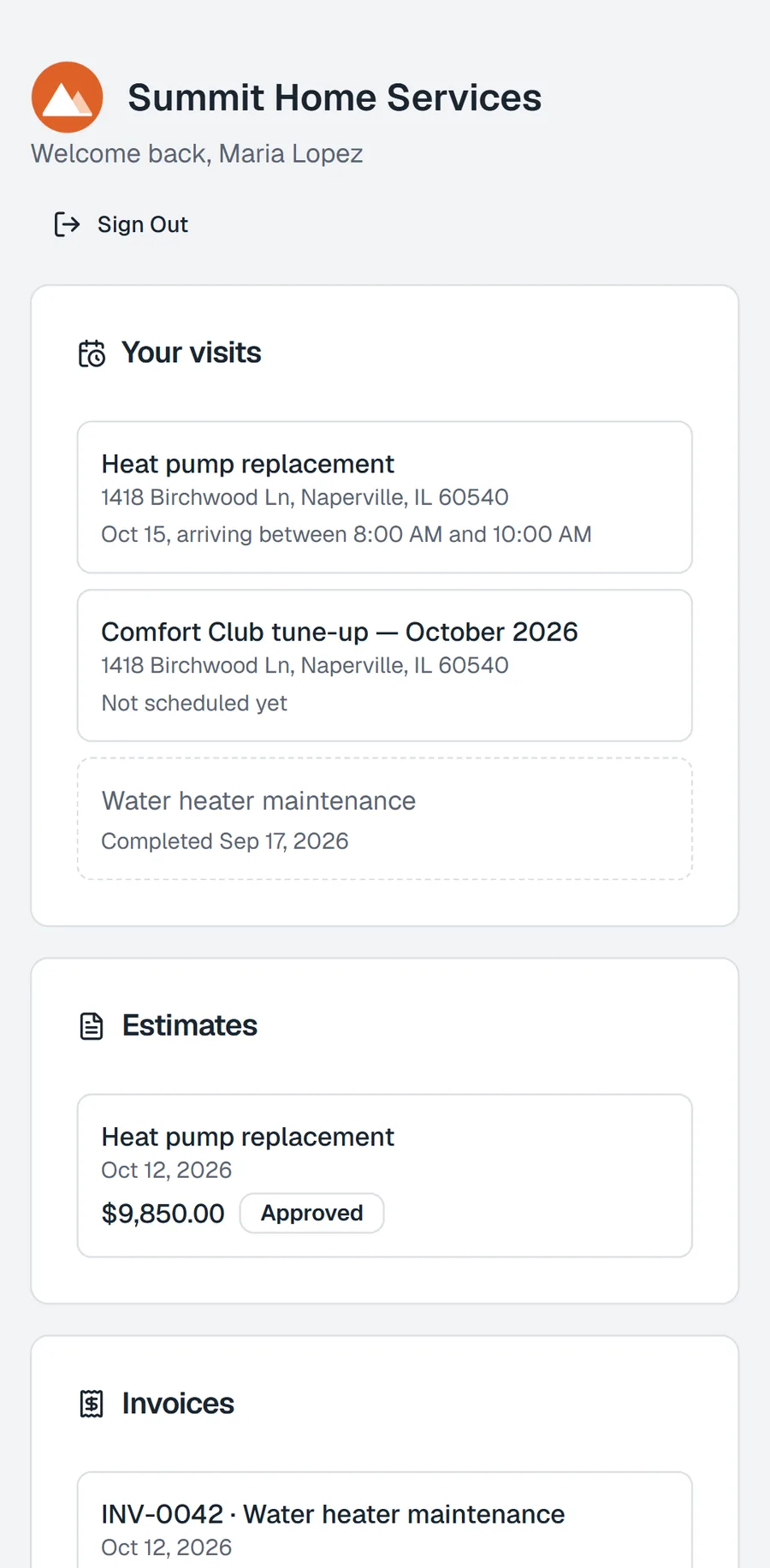
Homes and businesses, with as many addresses and contacts as they need, access notes, and the equipment at each address down to the model, serial number, and warranty. Customers get a portal of their own, opened with an emailed link instead of a password.

  • Their visits, estimates, invoices, and balance in the portal
  • A work request form you can link from your website
  • Estimates, invoices, receipts, reminders, and thank-yous emailed with your logo
  • Customers, services, parts, and equipment imported from CSV files
The customer portal on a phone: upcoming visits with their arrival windows, an approved estimate, and invoices.
Inventory and purchasing

Know what’s on every truck and shelf

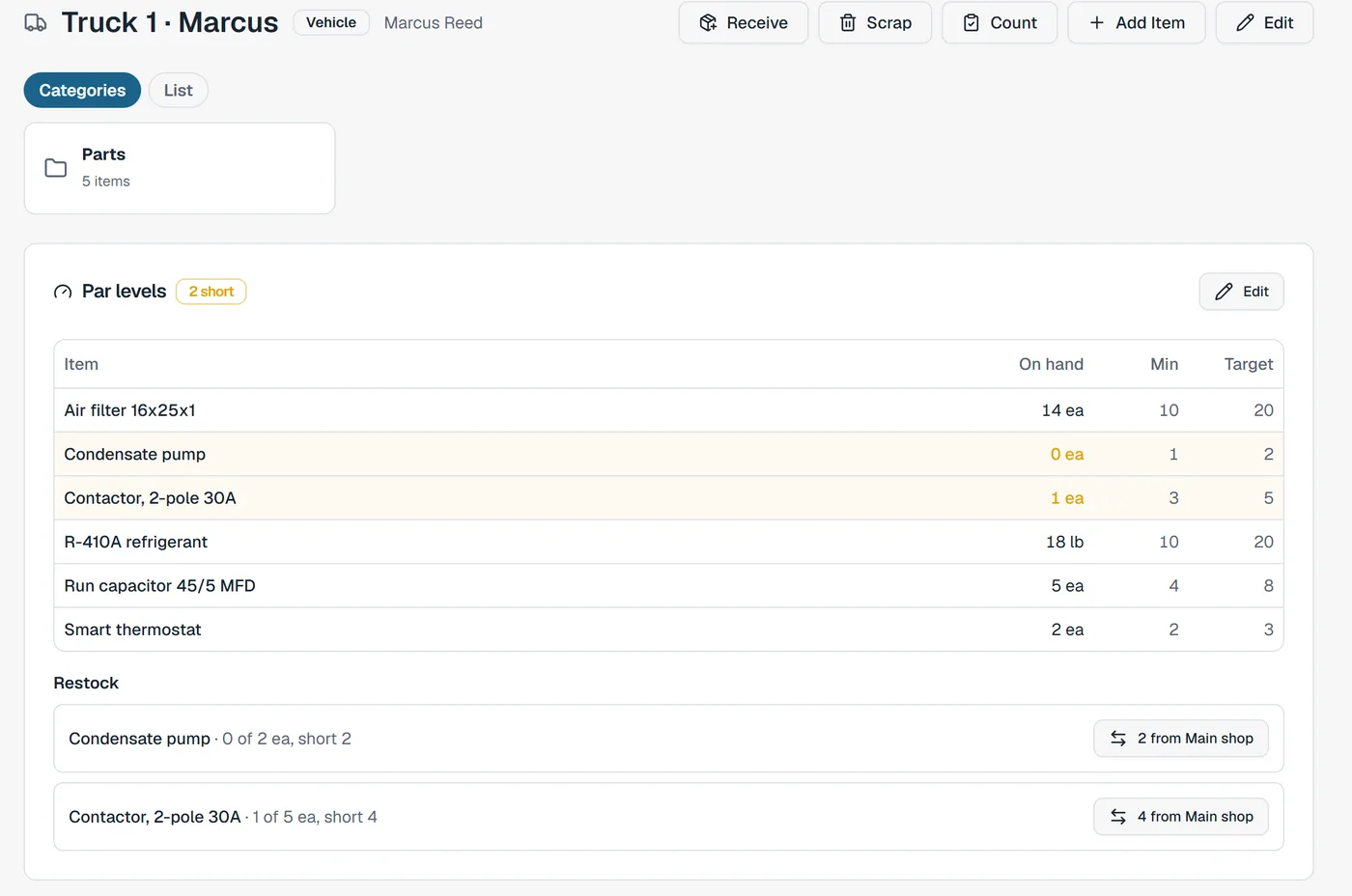
Keep stock in warehouses, shops, storage units, and trucks. Techs log the parts they use from their own truck, and you see what’s running low before it holds up a job.

  • Receive, transfer, count, and scrap stock
  • Reorder points, with suggested orders
  • Vendors and purchase orders, received against the order
  • Parts and labor costed on every job
One technician’s truck in Pellenor’s inventory: what it carries against its par levels, and what to restock from the shop.
Reports

Numbers you can run the business on

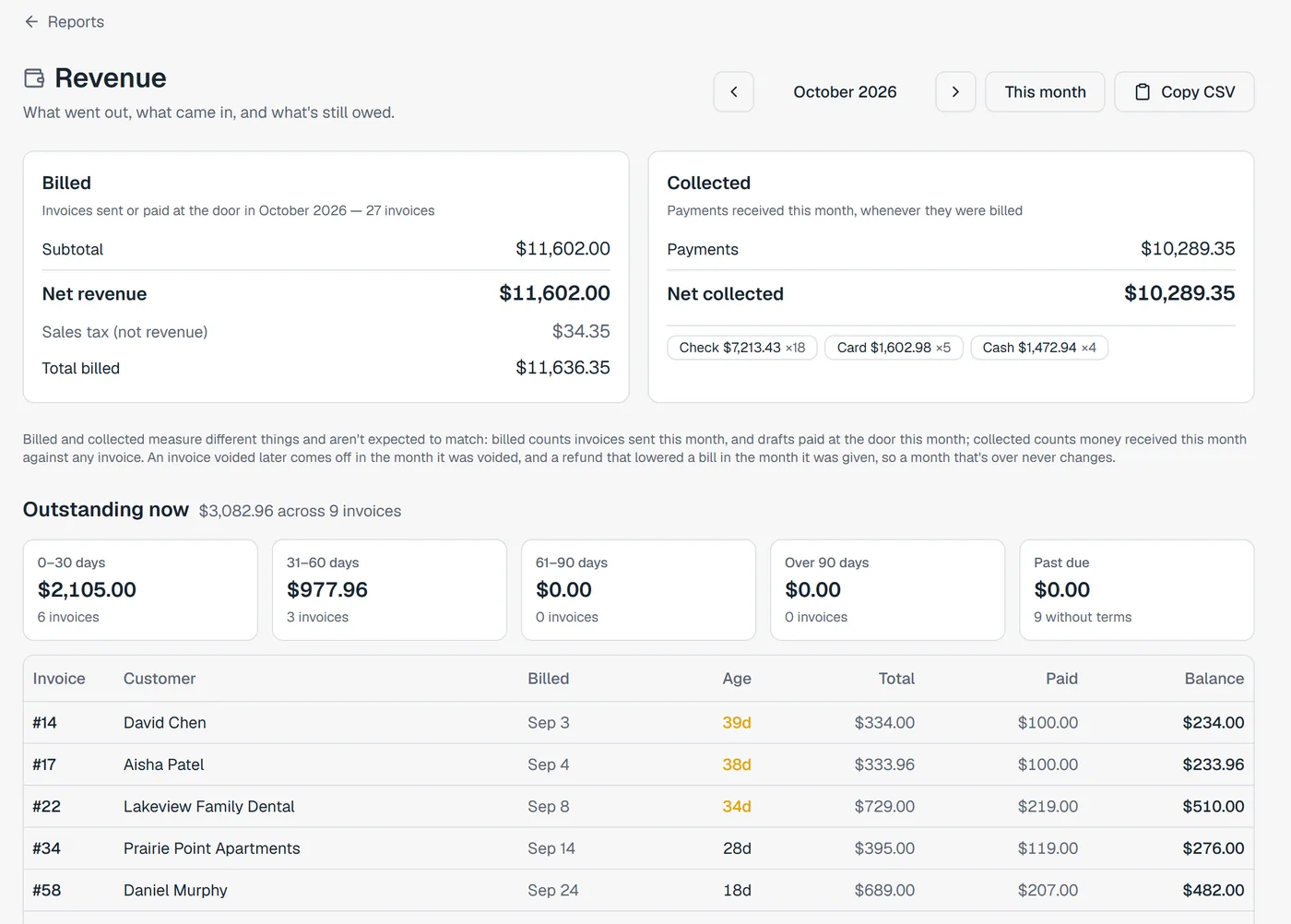
See what came in, what’s owed, and what each job made. Every technician has a scorecard, and the daily huddle shows the month against your goal.

  • Revenue billed and collected, and unpaid invoices by age
  • Job costing with labor at the rate of the day
  • Sales tax by rate, with taxable and exempt sales apart
  • Estimate pipeline, service plans, inventory, and timesheets
The revenue report: billed and collected this month, by payment method, and what’s still owed by age.
QuickBooks Online

Your books, kept for you

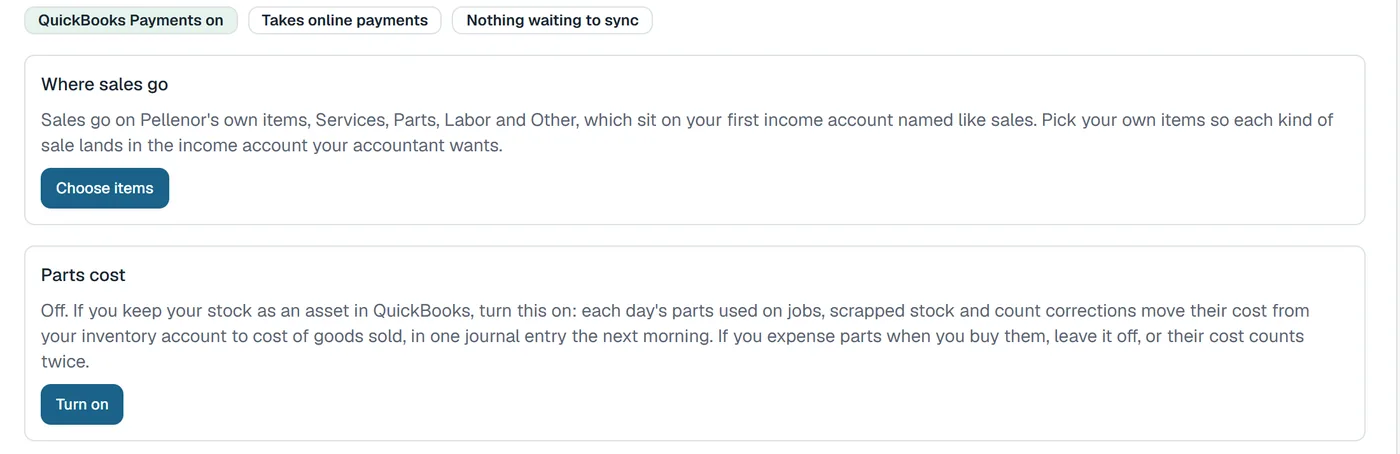
Connect QuickBooks Online and Pellenor posts customers, invoices, payments, and refunds for you. Payments recorded in QuickBooks come back to Pellenor, and totals that disagree are flagged for you.

  • You choose the QuickBooks item each kind of line posts to
  • Stripe fees and payouts posted so deposits match your bank
  • A daily journal entry for parts cost, if you keep stock as an asset
Pellenor’s QuickBooks Online settings: where sales post in QuickBooks, and the parts cost journal.
And the rest

Built for how a shop works

Roles for every seat

Admin, office manager, scheduler, billing, and technician, and one person can hold several.

Notifications that matter

A bell for the work that’s yours, and each person chooses what they hear about.

Help without leaving the app

Anyone on your team can open a ticket from the app, and the answer comes back by email and in the app.

Records that stay put

Invoices, payments, and jobs are voided, never deleted, so your history adds up.

See it on your own jobs

Start a 14-day free trial. No card needed: add your team, your services, and your first jobs.